


Fast Facts
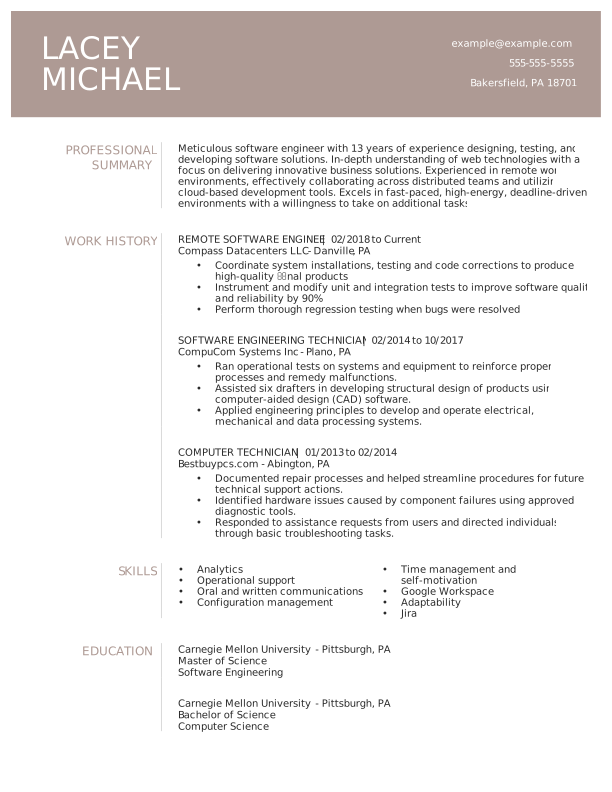
- An ATS resume is formatted and written so applicant tracking systems can scan, interpret, and organize your qualifications.
- ATS-friendly resumes use simple layouts, standard section headings, readable fonts, and relevant keywords from the job description.
- ATS software can extract information such as your job titles, skills, education, and work experience to help employers identify candidates whose qualifications match the role.
- Tailoring your resume to each job with relevant keywords helps ATS software identify your qualifications while giving recruiters clearer evidence of your experience.
- PDF and DOCX resumes can both be ATS-friendly, but you should follow the employer's requested file format and make sure your resume contains machine-readable text.
Applicant tracking systems (ATS) are now standard in the hiring process, with many employers using them to screen and organize resumes before they reach a recruiter. That means your resume needs to be easy for both automated systems and human readers to scan.
In this guide, we'll explain what an ATS resume is and cover the key guidelines for creating a resume that's optimized for ATS screening without sacrificing readability or impact.
Want to make sure your resume is ATS-friendly? Try Resume Now's ATS Resume Checker to analyze your current resume's ATS performance.
What Is an ATS-Compliant Resume?
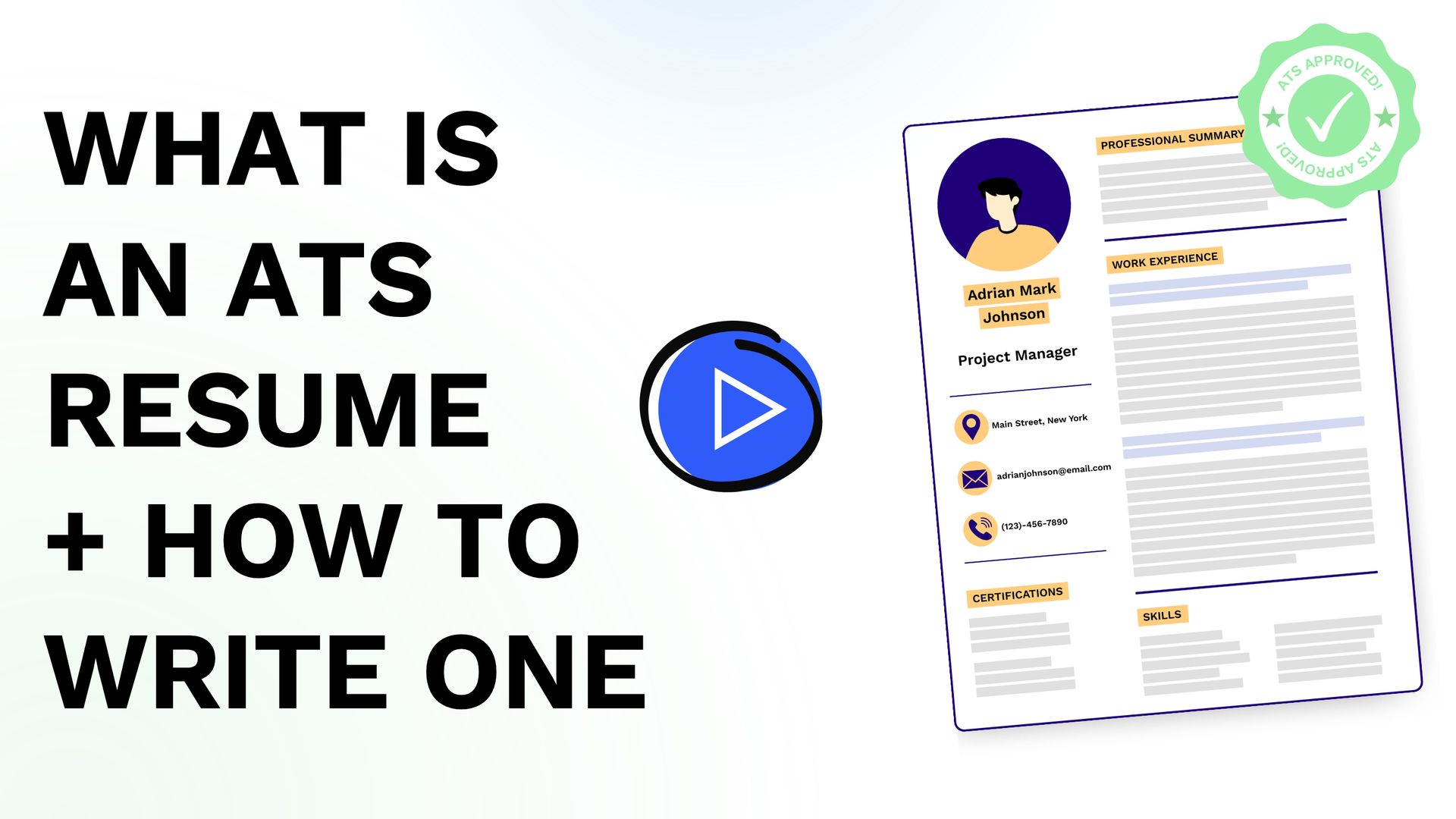
An ATS-compliant resume is formatted and written so ATS can accurately scan, interpret, and organize your information. It uses a simple, readable layout with standard section headings, relevant keywords, and ATS-friendly formatting. The goal is to ensure the system can identify your qualifications without compromising readability for human recruiters.
Most ATS software scans resumes for specific experience and keywords to find the most qualified candidates for the role. This saves employers time, but it can filter out unoptimized resumes.
Recent data from Select Software Reviews indicates that:
- 99% of Fortune 500 companies regularly use applicant tracking systems.
- 70% of large companies currently rely on an ATS as part of their hiring process.
- 20% of small and midsized businesses use an ATS to manage and evaluate job applications.
- 75% of recruiters use an ATS or another technology-driven recruiting tool to review applicants and improve the overall candidate experience.
- 94% of recruiters agree that their ATS has positively impacted their organization's hiring processes.
How Does ATS Software Work?
ATS software collects resumes, extracts information from each document, and organizes candidates based on the employer's hiring criteria. When you submit a resume, the system may identify details such as your job titles, skills, education, and work experience, then help recruiters filter or review candidates whose qualifications align with the position.
For example, suppose your resume profile reads:
Detail-oriented marketing professional with 5+ years of advertising agency experience in end-to-end campaign management. Led a team of media buyers and media planners to implement cross-channel digital marketing campaigns.
While a human can pick up on subtle nuances and context clues, an ATS can scan and pull out relevant keywords. Here's what the ATS would likely pinpoint:
- Detail-oriented
- 5+ years of experience
- Advertising agency
- Led a team
- Cross-channel digital marketing campaigns
The ATS can then compare your qualifications with the company's requirements and help recruiters identify candidates whose experience aligns with the role. Depending on the system and employer's screening criteria, your resume may be filtered, ranked, or surfaced for recruiter review.
How to Write an ATS-Friendly Resume in 8 Steps
To write an ATS-friendly resume, use a simple format, incorporate relevant keywords from the job description, and organize your qualifications with clear, standard headings. Avoid complex layouts, graphics, and other formatting elements that can interfere with automated screening.
These steps can help you create a resume that's easy for ATS to scan and for recruiters to read:
1. Pick a Simple Resume Layout
Choose a simple, ATS-friendly resume layout that presents your qualifications in a clear, logical order. A clean, single-column design with standard section headings and consistent formatting makes it easier for applicant tracking systems to extract your information accurately. It helps recruiters quickly find the details that matter.
When choosing a resume template, look for a straightforward design that follows a natural top-to-bottom reading order. Avoid layouts that rely on visual elements to organize information, since some ATS software may not interpret text boxes, tables, columns, or graphics as intended.
Pay particular attention to these two areas:
- Headers and footers: Avoid placing important information, such as your name, phone number, email address, or other contact details, in headers or footers. Some ATS platforms may have difficulty extracting information stored in these areas, so keeping essential details in the main body of your resume is a safer choice.
- Columns: Columns can create parsing problems when an ATS reads content in an unexpected order. Information that appears neatly arranged to a human reader may be extracted out of sequence. A single-column layout provides a more predictable reading order and reduces the risk of jumbled information.
2. Use an Easy-to-Read Font
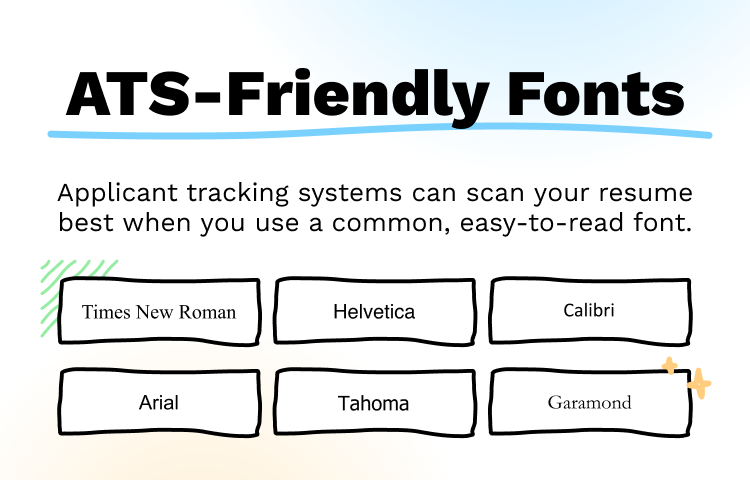
Choose a clear, standard font that's easy for both ATS software and human recruiters to read. Fonts such as Arial, Calibri, Helvetica, Times New Roman, Tahoma, and Garamond are generally safe choices.
Keep your font size readable, too: 10–12-point text works well for most resume content, while section headings can be slightly larger to create a clear visual hierarchy.
When selecting a resume font, prioritize readability and consistency over style. Avoid decorative, handwritten, or highly stylized fonts that may be difficult to scan or read.
Pro tip
Use the same primary font throughout your resume, with size and formatting changes reserved for headings and other elements you want to emphasize.
3. Use Standard Formatting
Use simple, consistent formatting that keeps your resume easy for an applicant tracking system to parse and easy for recruiters to read. ATS software can have difficulty extracting information from complex design elements, so a straightforward format is usually the safest choice.
Standard text formatting also helps preserve your information if the resume is converted to plain text during screening.
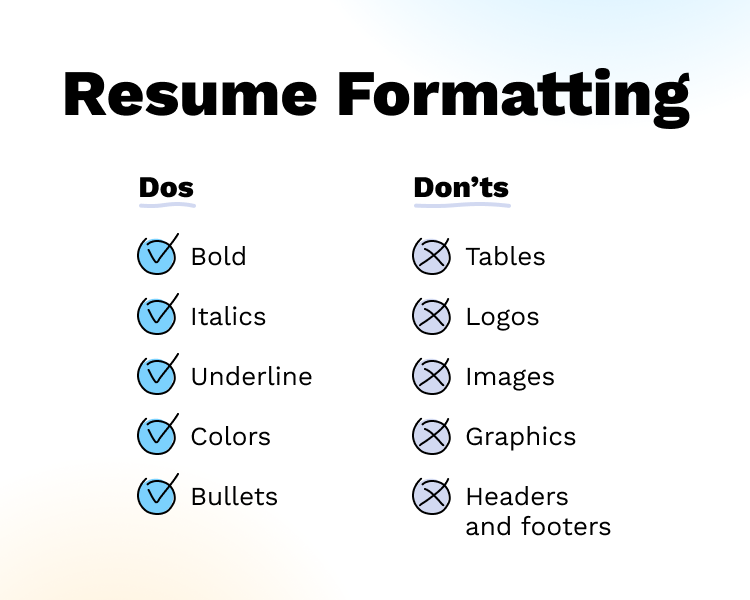
When creating an ATS-friendly resume, avoid design elements such as:
- Tables: An ATS may extract information from table cells in an unexpected order, making your qualifications difficult to interpret.
- Logos: Logos are image files, so an ATS may not recognize the text or information they contain.
- Images: Text included in images may not be readable to ATS software and can take up valuable space on your resume.
- Graphics: Charts, icons, and other visual elements may not be parsed correctly, particularly when they contain important information about your skills or experience.
- Text boxes: Information placed inside text boxes may be extracted out of sequence or omitted altogether by some ATS platforms.
Instead, use standard formatting that clearly distinguishes different parts of your resume, including:
- Bolding for section headings, job titles, or other important information
- Italics sparingly for emphasis
- Underlining when appropriate, though it's generally best reserved for links
- Bulleted lists to organize skills, responsibilities, and accomplishments
- Consistent spacing and alignment to create a clear visual hierarchy
You can also use limited color to distinguish headings or add visual interest, but make sure the resume remains easy to read in black and white. Most importantly, don't use formatting or design elements to convey information that isn't also available as readable text.
4. Use Clear, Concise Headings
Use conventional section headings, such as "Work Experience," "Education," "Skills," and "Certifications," to make your resume easy to navigate. Standard headings help ATS identify and categorize your information correctly, and a logical section order makes your most relevant qualifications easier for recruiters to find.
The order of your sections should reflect your experience and the requirements of the job. Your professional summary or objective should generally appear near the top of your resume, followed by the sections that best showcase your qualifications.
For example:
- Experienced professionals: Place work experience near the top to emphasize your career history and accomplishments. You can follow it with sections for education, skills, and certifications, depending on the role.
- Recent graduates or students: Consider placing education higher on the page, particularly when your degree, coursework, or academic achievements are more relevant to the position than your limited work history.
- Career changers: Lead with a professional summary and consider placing skills or other relevant qualifications before work experience to highlight transferable abilities.
Pro tip
When choosing headings, avoid creative alternatives such as "Where I've Worked" or "My Academic Journey." Although a human reader may understand them, conventional headings give an ATS clearer signals about the information that follows.
5. Tailor It With Appropriate Keywords
Use keywords from the job description throughout your resume to show that your skills and experience align with the position. ATS may look for terms related to the employer's requirements, such as specific skills, job titles, certifications, or software. Tailoring your resume helps both ATS software and recruiters quickly identify your most relevant qualifications.
Start by reviewing the job description and identifying the skills, qualifications, and terminology that appear most relevant to the role. Then incorporate those terms naturally into your resume rather than simply copying the job description or creating a long list of keywords.
For example, if a job description asks for "project management," "project coordination," "stakeholder communication," and "Asana," you might demonstrate those qualifications in your work experience as follows:
- Managed 12+ cross-functional projects using Asana, coordinating timelines and deliverables across five departments.
- Improved project coordination and task visibility, helping teams complete 95% of deliverables on schedule.
- Led stakeholder communication through weekly status updates, reducing project delays by 20%.
Include relevant keywords in your professional summary, skills, work experience, and certifications sections when appropriate. Avoid keyword stuffing or adding skills you don't genuinely possess. Your resume should accurately reflect your experience and demonstrate how you've applied the qualifications that matter most for the position.
6. Quantify Your Achievements
Quantifying your achievements can make your resume more ATS-friendly by adding specific, searchable information that helps ATS identify the scope of your experience. Numbers provide context around skills and responsibilities, while metrics such as percentages, dollar amounts, team sizes, and project volumes can reinforce your qualifications with concrete details.
When writing your work experience bullets, combine relevant keywords with measurable results using this formula:
Action verb + specific responsibility + measurable result
For example:
- Managed a 12-member sales team during a six-month initiative, increasing revenue by 57% year over year.
- Streamlined the customer onboarding process, reducing processing time by 30%.
- Coordinated 15 cross-functional projects, achieving a 95% on-time completion rate.
Pro tip
Choose action verbs that reflect the language in the job description when writing your resume. If the employer asks for someone who can "lead," "coordinate," or "analyze," use those terms when they accurately describe your experience. Matching relevant terminology can help an ATS recognize the connection between your experience and the employer's requirements while making your qualifications clearer to recruiters.
7. Use a Clear, Professional File Name
Give your resume a simple, descriptive file name that clearly identifies you and the document. A standard file name can make your application easier for recruiters to locate and organize, while avoiding unnecessary characters or information that could create confusion during the application process.
A good format is:
- Sarah-Smith-Resume.pdf
- Sarah-Smith-Marketing-Coordinator.docx
- Sarah-Smith-Project-Manager-Resume.pdf
Using your full name and the word "Resume" is usually enough. If you're applying for multiple positions, you can add the job title to each version to make each one easier to identify.
Avoid file names such as:
- Resume.pdf
- Resume-FINAL.pdf
- Resume-FINAL-FINAL2.pdf
- SarahSmithResume2026NEW.pdf
8. Use the Correct File Format
Choose a resume file format that's compatible with the employer's application system and preserves your content in a machine-readable format. PDF and DOCX files can both work well with modern ATS software, but compatibility can vary by system. If an employer specifies a file type, follow those instructions rather than choosing a format based on general ATS rules.
A few best practices can help you avoid file-format problems:
- Follow the employer's instructions. If the job posting requests a PDF or a Word document, submit the specified format.
- Use a standard PDF when appropriate. A PDF can preserve your resume's formatting and is generally ATS-friendly when the text is selectable and properly structured.
- Keep a DOCX version available. Word documents are widely accepted and can be a useful alternative if the application system specifically requests one.
- Avoid image-based files. Don't submit a scanned resume or a PDF that consists entirely of images. An ATS may not be able to extract the text accurately.
- Test your file before submitting. Copy and paste the text from your finished resume into a plain-text document. Check whether your headings, words, and contact information appear in the correct order, and nothing important is missing.
5 ATS-Friendly Resume Templates
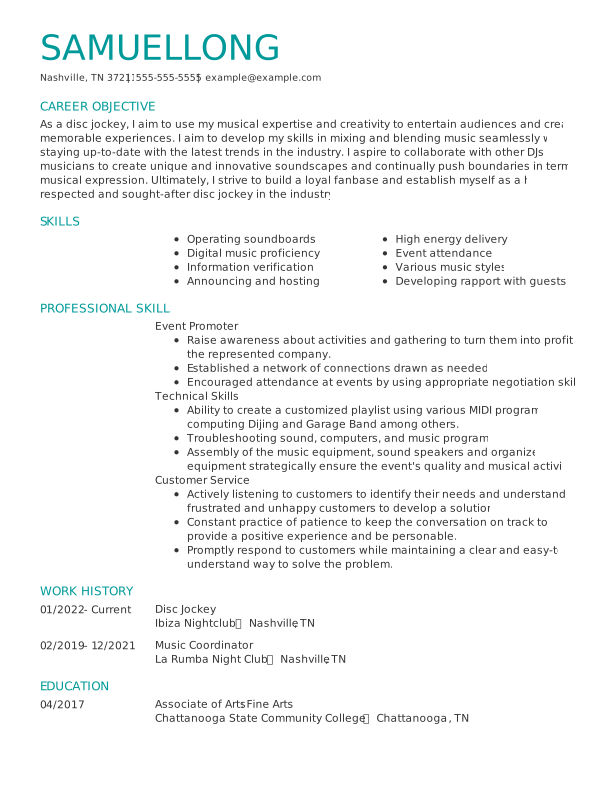
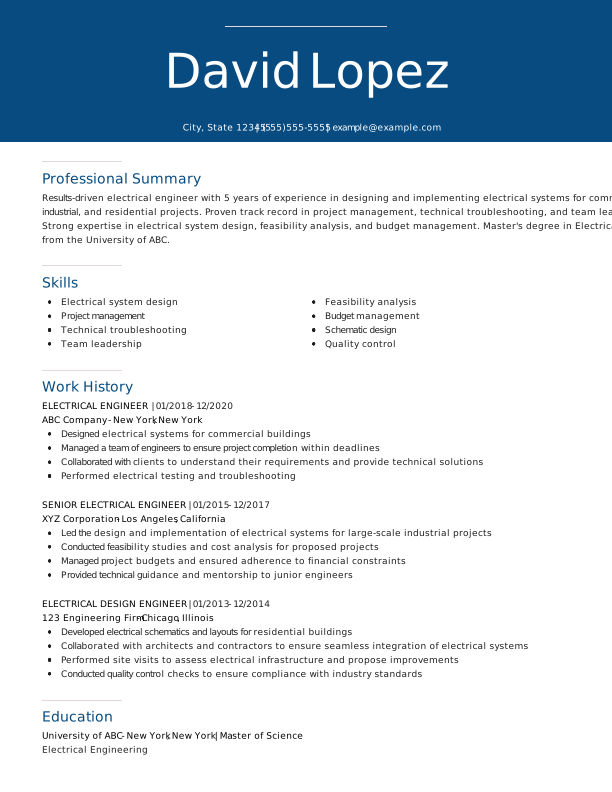
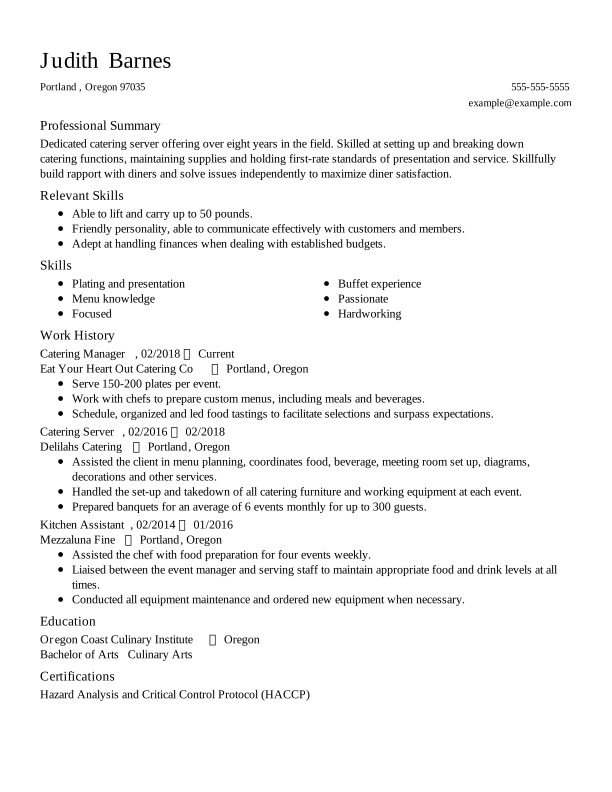
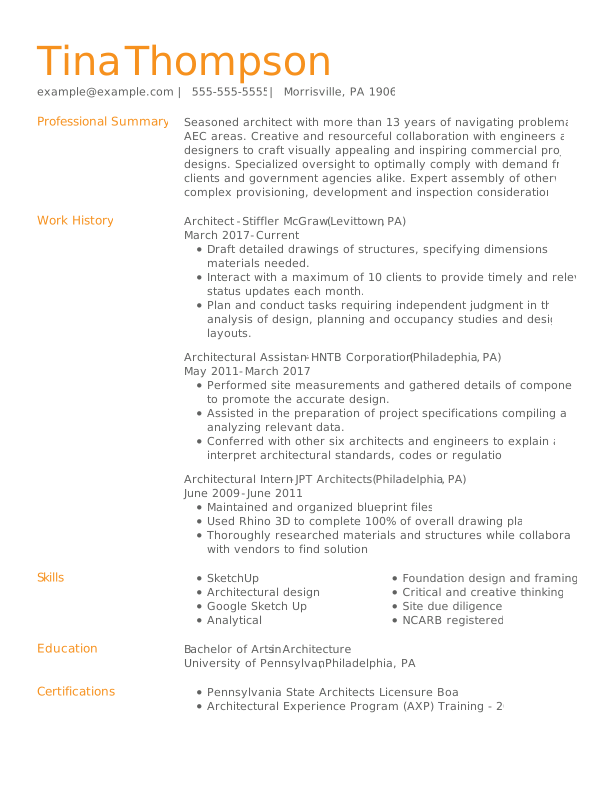
The best ATS-friendly resume templates use a simple, single-column layout with clear section headings, readable fonts, and consistent formatting. Choose a template that puts your qualifications in a logical order without relying on tables, graphics, text boxes, or other design elements that can interfere with ATS parsing.
Aster Template
Contemporary Template

Iris Template
Standard Template
Upgrade Template
Pro tip
You can use Resume Now's AI Resume Builder to make an ATS resume quickly. Upload your resume or start a new one, choose a customizable template, and fill it out with generated content suggestions tailored to your target role.
Key Takeaways
- To create an ATS-friendly resume, use a simple, single-column layout and avoid tables, graphics, images, and text boxes. Choose a standard, easy-to-read font and maintain consistent formatting throughout your resume.
- Match relevant keywords and terminology from the job description to your actual skills and experience. Quantify your achievements to show the scope and impact of your work.
- Follow the employer's instructions for your resume's file name and format, and test the file to make sure your information remains readable.
Frequently Asked Questions
How do I know if my resume is ATS-compliant?
You can tell if your resume is ATS-compliant by checking its layout, formatting, content, and machine readability. Use a simple layout with standard section headings, readable fonts, and relevant keywords, and avoid elements such as tables, graphics, and text boxes that may interfere with parsing. You can also use an ATS resume checker to identify potential compatibility issues and see how well your resume aligns with ATS requirements.
Is a 70% ATS score good?
A 70% ATS score can be a good starting point, but there's no universal ATS score that guarantees your resume will pass an employer's screening system. ATS tools use different scoring methods, so focus on whether your resume uses relevant keywords, clearly presents your qualifications, and follows ATS-friendly formatting. A higher score can be useful, but relevance and accuracy matter more than reaching a specific percentage.
How do I make an ATS-approved resume?
You can make an ATS-approved resume by using a simple, readable layout with standard section headings, relevant keywords, and measurable achievements that match the job description. Avoid tables, graphics, images, and text boxes that may interfere with parsing, and submit your resume in the file format requested by the employer. While these practices improve ATS compatibility, no resume can be guaranteed to be approved by every ATS.
What is the most ATS-friendly resume format?
The chronological resume format is generally the most ATS-friendly choice because it presents your work history in a clear, predictable order, with your most recent position listed first. It also uses a straightforward structure that makes it easier for ATS software to identify job titles, employers, dates, and accomplishments. For most job seekers, a simple, single-column chronological layout is a strong choice.
Can ATS detect a ChatGPT resume?
An ATS generally can't reliably determine whether a resume was written by ChatGPT by scanning the document alone. Applicant tracking systems are primarily designed to parse and organize information such as skills, work experience, education, and keywords. Recruiters may recognize generic or overly polished AI-generated language, however, so your resume should accurately reflect your experience and use specific, personalized examples.
Why is my resume getting rejected by ATS?
An ATS may filter out or rank your resume lower if the system can't accurately parse its content or if it doesn't identify enough relevant qualifications for the position. Common issues include complex layouts, nonstandard section headings, missing keywords, unreadable text, and incompatible file formats. Tailoring your resume to the job description and using simple, machine-readable formatting can improve its compatibility with ATS screening.


Elizabeth is a Certified Professional Resume Writer (CPRW) and member of the Professional Association of Resume Writers & Career Coaches, dedicated to helping job seekers excel in their careers.
More resources
What Should a Resume Look Like in 2026? (Examples)
A professional resume should use a clean easy-to-scan layout ...


8 Current Resume Trends for 2026 (With Tips & Examples)
Stay current with 2026 resume trends and learn how to make you...

How to Write a Resume: Guide & Examples for 2026
Learn how to write a resume that gets interviews with our step...

How to Write a Resume With ChatGPT (Step by Step Guide & Prompts)
Learn how to write a resume with ChatGPT using targeted prompt...

Transferable Skills: Examples & How to List Them on Your Resume
Write a resume that stands out by making the most of your tran...
 Get the job 2x faster*
  Customize your cover letter