Resume Now
     
  • Resume Now  
  • Builder  
    • Resume Builder

      AI Resume Builder

      Millions have trusted our resume maker.

    • Cover Letter Generator

      AI Cover Letter Generator

      Create a cover letter to land your dream job.

    • CV Maker

      CV Maker

      Easily build a CV that paves the way to your dream job.

  • Resume  
    • Resume Templates
      Browse customizable templates to create a resume quickly and easily.
    • Resume Examples
      Use examples for various job titles and industries as a source of inspiration.
    • How to Make a Resume
      Learn step-by-step tips for writing a resume that gets noticed.
    • ATS Resume Checker
      Ensure your resume can be easily read by Applicant Tracking Systems (ATS).
    • AI Summary Generator
      Create a professional resume summary that highlights your essential qualifications and career goals.
    • AI Resume Skills Generator
      Use our resume skills generator for a quick solution to a job-winning skills section.
    • AI Resume Review
      Get instant expert feedback with clear steps for improvement.
    Save time with our builder
    In just a few clicks you can make a professional resume with our AI Resume Builder.
    Build your resume
  • CV  
    • CV Maker
      Build a professional CV quickly with our easy-to-use CV maker.
    • CV Examples
      Use examples for job titles and industries to guide you in writing your CV.
    • CV Templates
      Choose a customizable template to create an effective CV.
    • How to Write a CV
      Follow our guide to write a CV that showcases your best qualifications.
    Save time with our builder
    In just a few clicks you can make a professional resume with our AI Resume Builder.
    Create your CV
  • Cover Letter  
    • AI Cover Letter Generator
      Create a cover letter in minutes with our builder.
    • Cover Letter Templates
      Find cover letter templates that help you make a great first impression.
    • Cover Letter Examples
      Base your cover letter around examples for all types of jobs.
    • How to Make a Cover Letter
      Learn how to write a compelling cover letter with our expert advice.
    • Cover Letter Formats
      Explore cover letter formats that suit any application.
    Save time with our builder
    In just a few clicks you can make a professional resume with our AI Resume Builder.
    Build your cover letter
  • Advice  
    • Resumes
      Expert resume tips to help you land the job you want.
    • Cover Letters
      Guidance on writing effective cover letters.
    • Job Search
      Tips and resources to help you find your next job.
    • Career Advice
      Get career guidance to grow and succeed.
    Save time with our builder
    In just a few clicks you can make a professional resume with our AI Resume Builder.
    Build your cover letter
  • Resources  
    • Contact Us
      Reach out to us for any questions and comments.
    • Editorial Guidelines
      Learn about our high-quality content standards.
    • Press
      Read our press releases and mentions in other media.
    • Customer Reviews
      See what users say about our services.
    • FAQ
      FAQ from jobseekers to help answer your questions.
    • Pricing
      Get details about our different subscription plans.
  • Login
  • Free Account
AI Builder > Chronological Resume Format

Chronological Resume Format: Templates & Examples

The chronological resume format emphasizes your work history, starting with your most recent job. Choose a template below to quickly create a resume that highlights your career progression.

Import your resume
Create my resume
  • Popular templates Popular
  • Premium templates Pro
  • Free templates Free
Recommended templates:
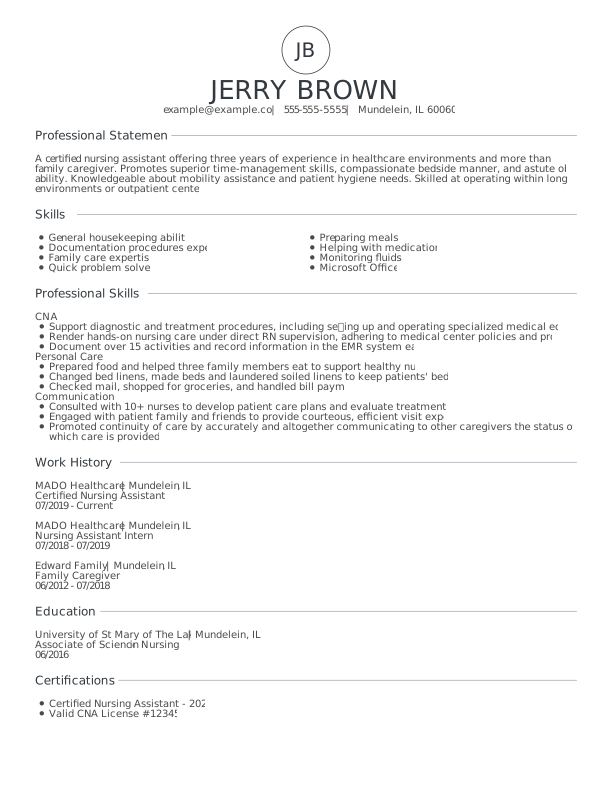
Modern Certified Nursing Assistant Entry Level Resume Template Assertive Asphalt color
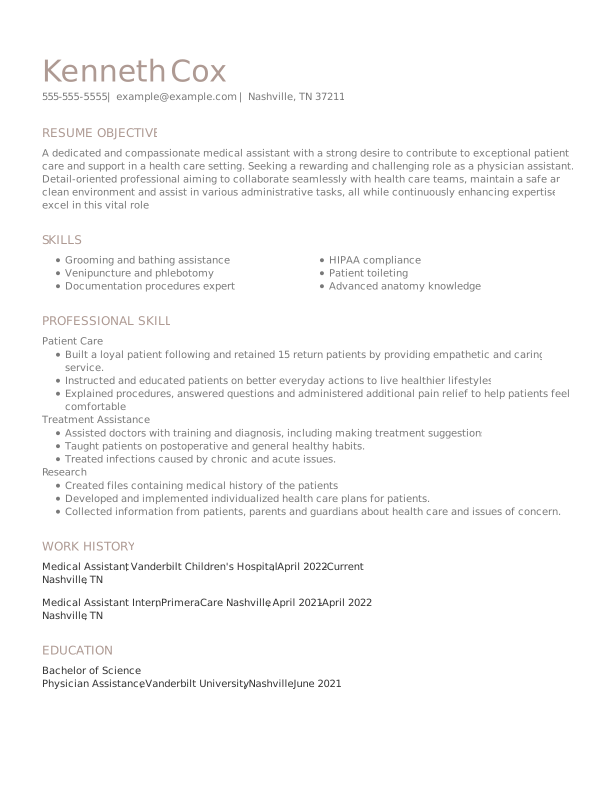
Classic Medical Assistant Mid Level Resume Template Trusted Taupe color
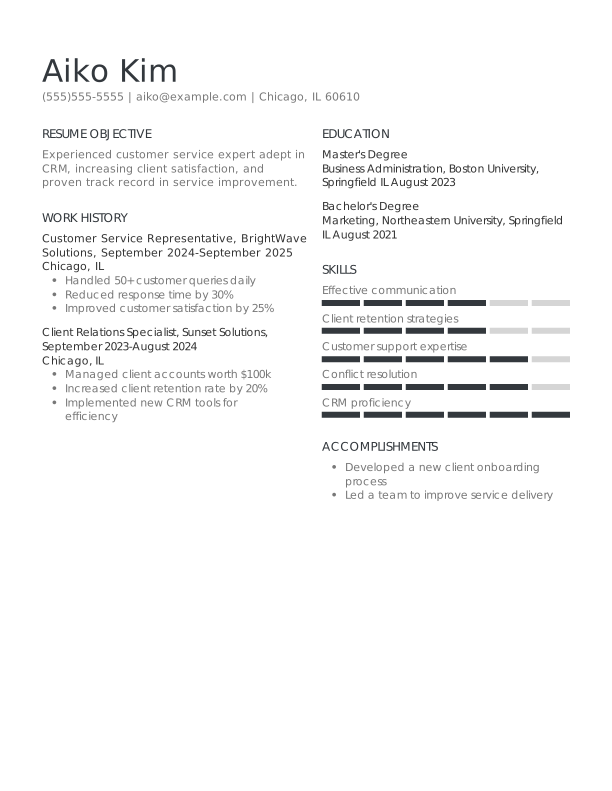
Classic Customer Service Representative Entry Level Resume Template Assertive Asphalt Color

    15 templates

    Empty Template
    ZoomUse This Template

    empty-template-cta

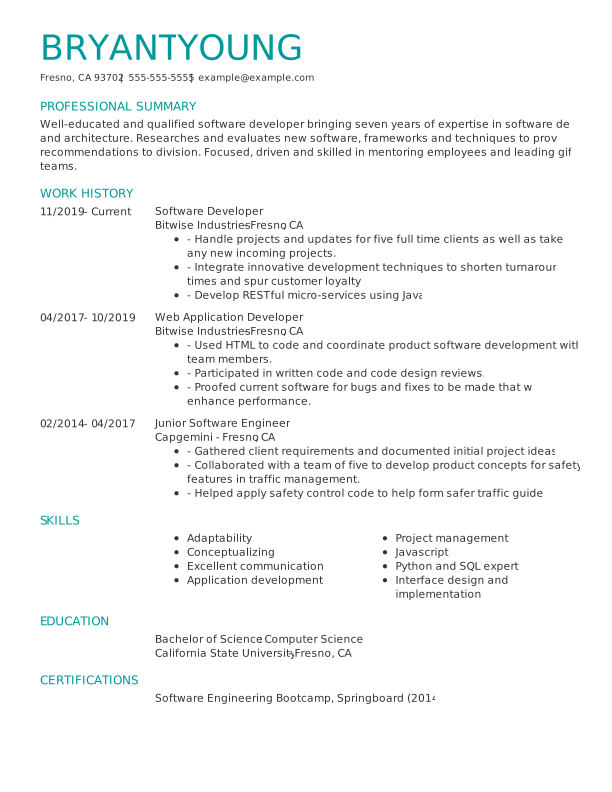
    Creative Software Developer Experienced & Professional Resume TemplateEmpathic Emerald color
    ZoomUse This Template

    Creative Software Developer Experienced & Professional Resume:Empathic Emerald color
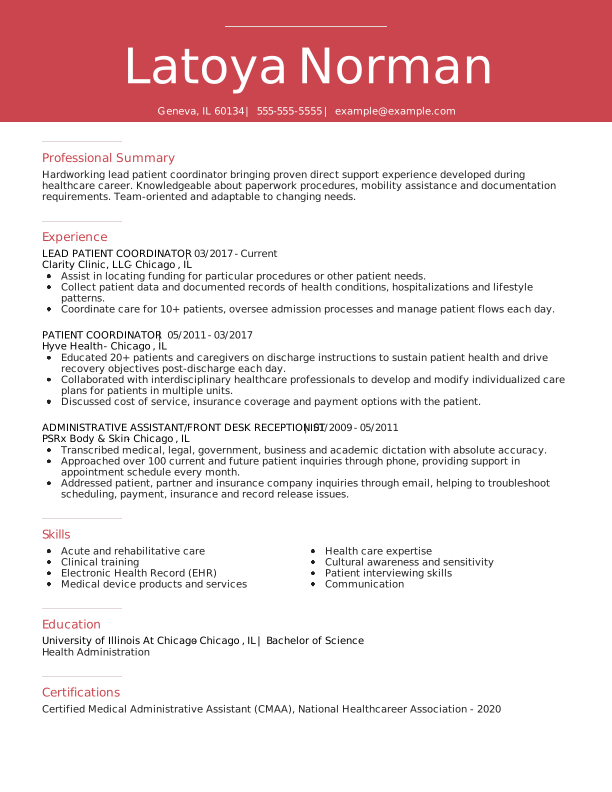
    Creative Lead Patient Coordinator Experienced & Professional Resume TemplateAmbitious Red color
    ZoomUse This Template

    Creative Lead Patient Coordinator Experienced & Professional Resume:Ambitious Red color
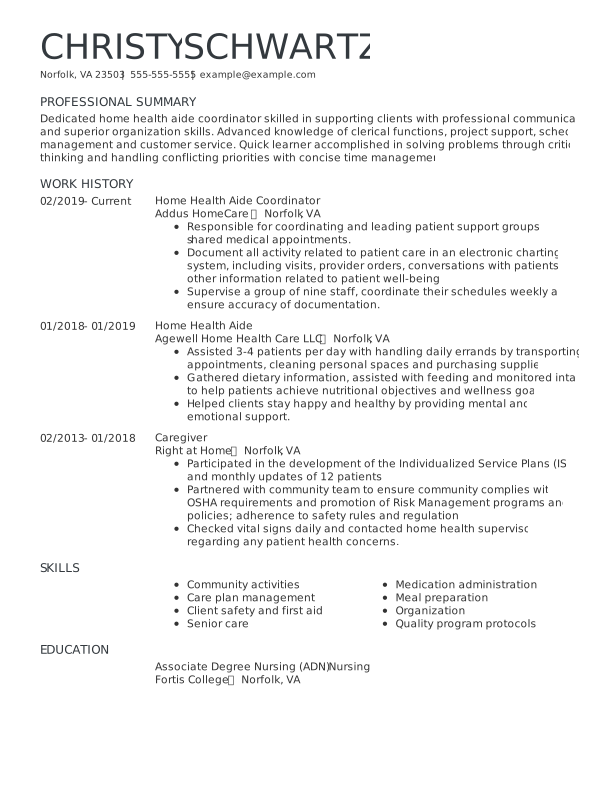
    Classic Home Health Aide Coordinator Experienced & Professional Resume TemplateAssertive Asphalt color
    ZoomUse This Template

    Classic Home Health Aide Coordinator Experienced & Professional Resume:Assertive Asphalt color
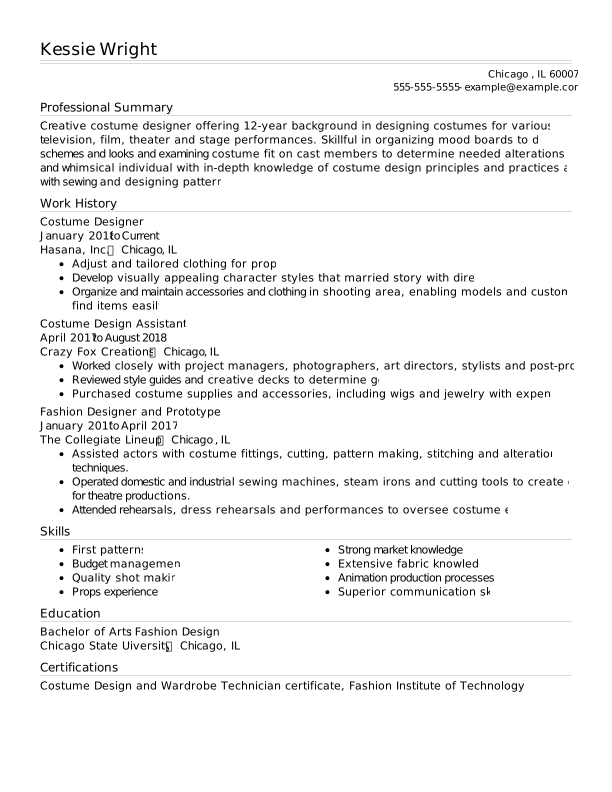
    Classic Costume Designer Experienced & Professional Resume:Assertive Asphalt color
    ZoomUse This Template

    Classic Costume Designer Experienced & Professional Resume:Assertive Asphalt color

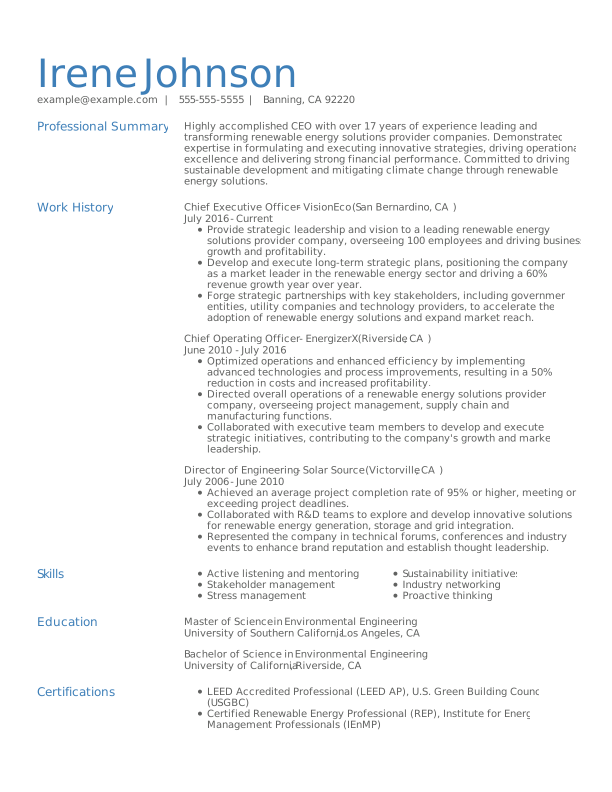
    Classic CEO Experienced & Professional Resume TemplateBalanced Blue color
    ZoomUse This Template

    Classic CEO Experienced & Professional Resume:Balanced Blue color
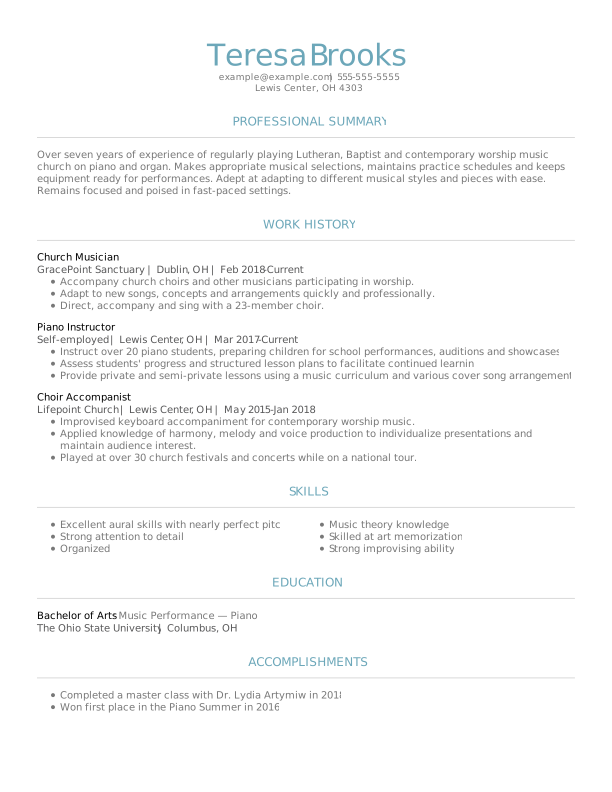
    Classic Musician Experienced & Professional Resume TemplateTeam Teal color
    ZoomUse This Template

    Classic Musician Experienced & Professional Resume:Team Teal color
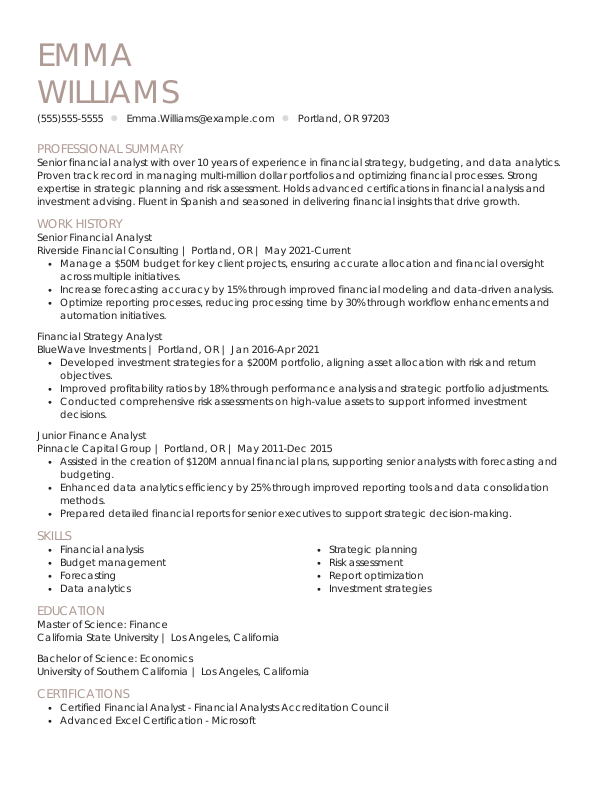
    Classic Senior Financial Analyst Experienced & Professional Resume TemplateTrusted Taupe color
    ZoomUse This Template

    Classic Senior Financial Analyst Experienced & Professional Resume:Trusted Taupe color
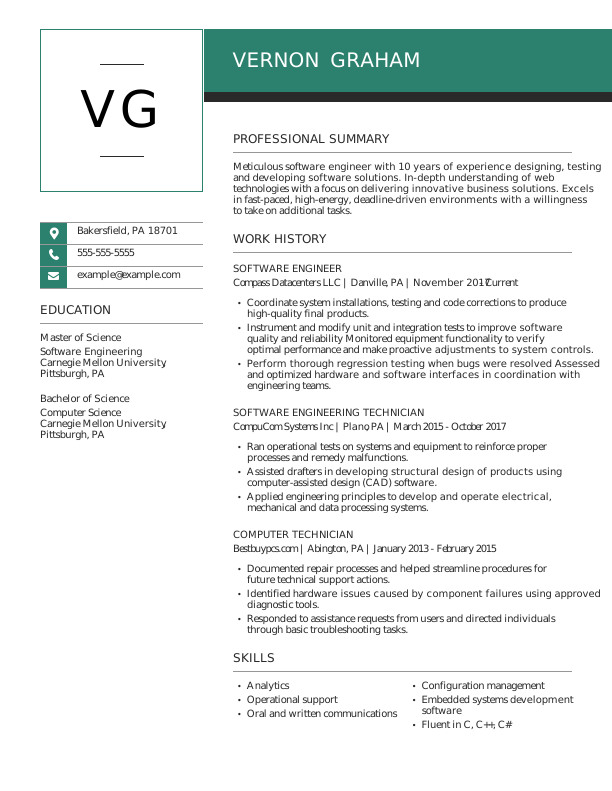
    Modern Software Engineer Experienced & Professional Resume TemplateEmpathic Emerald color
    ZoomUse This Template

    Modern Software Engineer Experienced & Professional Resume:Empathic Emerald color
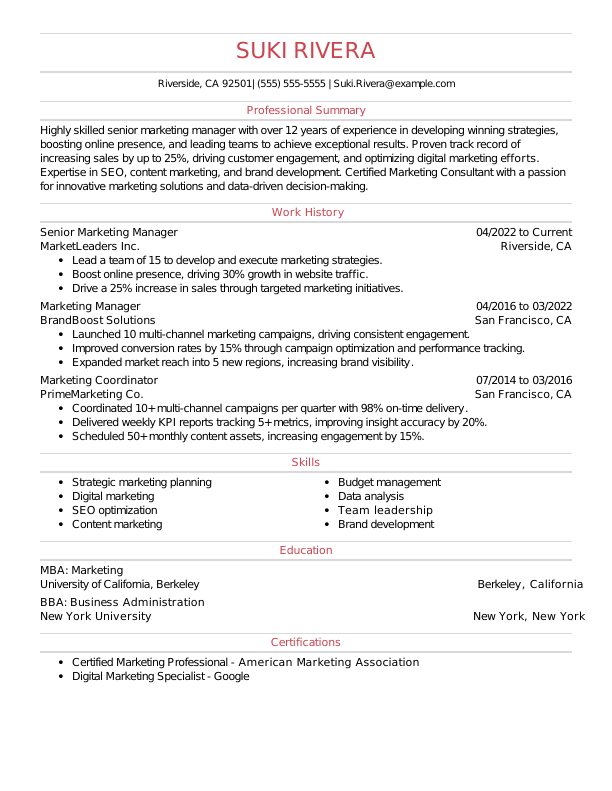
    Classic Senior Marketing Manager Experienced & Professional Resume TemplateAmbitious Red color
    ZoomUse This Template

    Classic Senior Marketing Manager Experienced & Professional Resume:Ambitious Red color
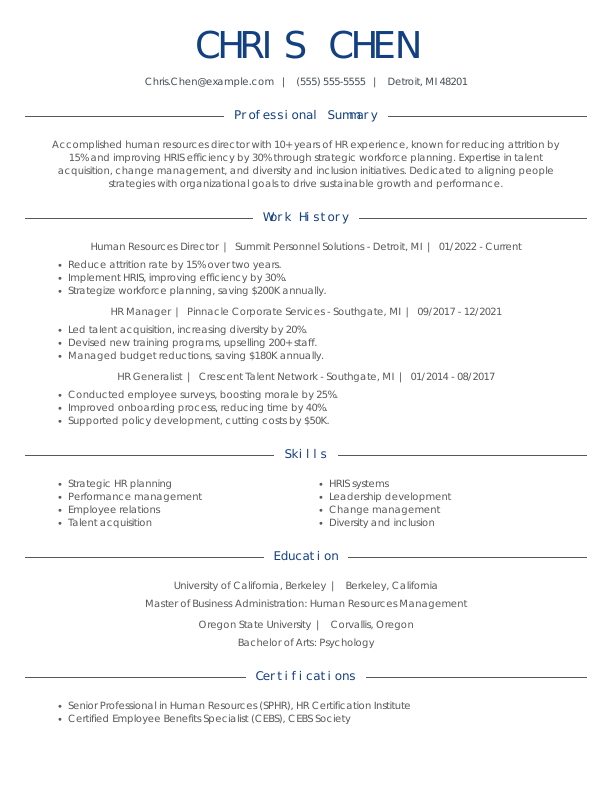
    Classic Human Resources Director Experienced & Professional Resume TemplateLoyal Blue color
    ZoomUse This Template

    Classic Human Resources Director Experienced & Professional Resume:Loyal Blue color
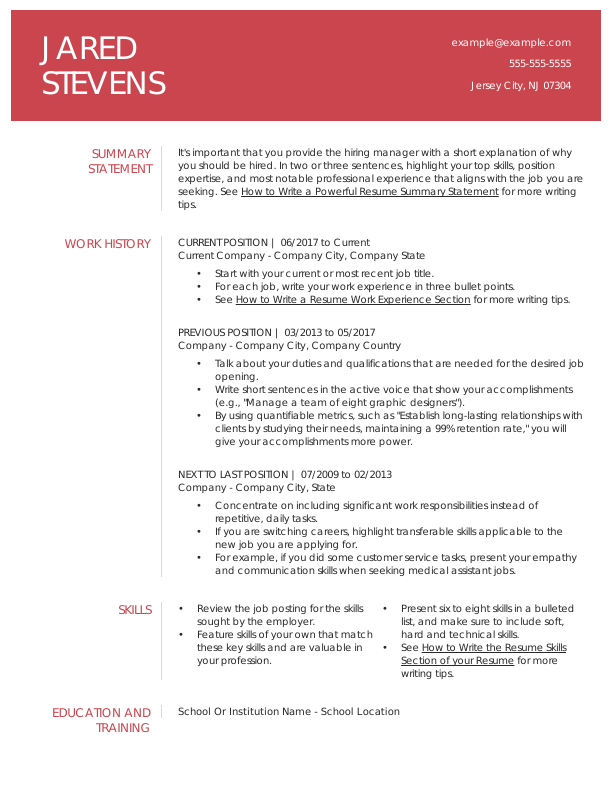
    Modern Contemporary Generic Template Mid Level Resume TemplateAmbitious Red color
    free
    Zoom
    Download Template

    Modern Contemporary Generic Template Mid Level Resume:Ambitious Red color
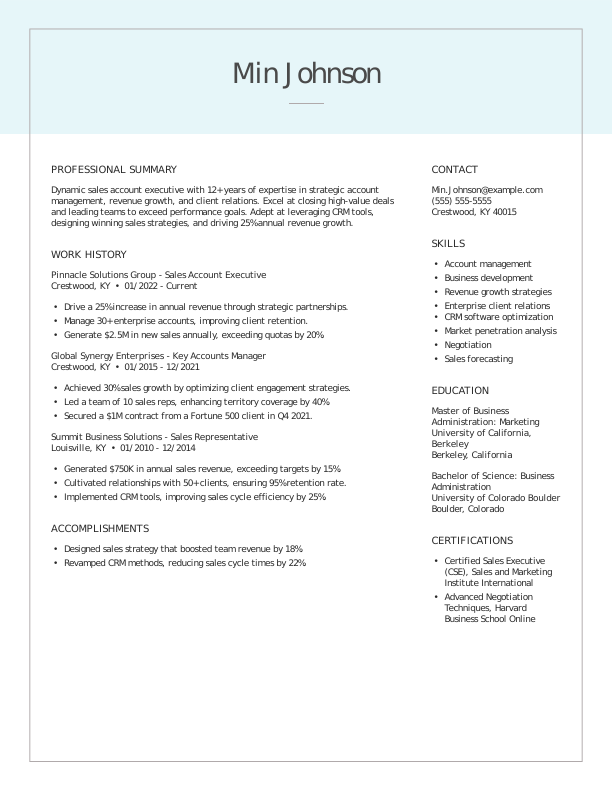
    Classic Sales Account Executive Experienced & Professional Resume TemplateTeam Teal color
    ZoomUse This Template

    Classic Sales Account Executive Experienced & Professional Resume:Team Teal color
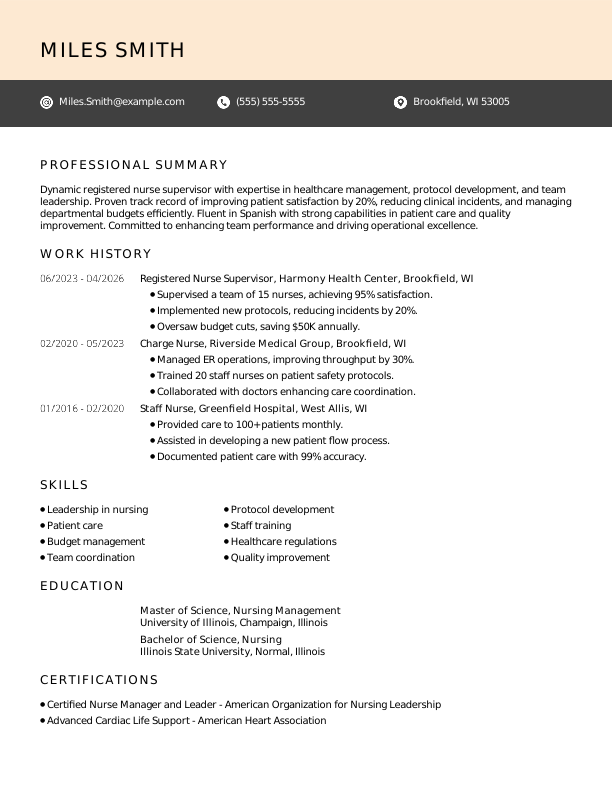
    Creative Registered Nurse Supervisor Experienced & Professional Resume TemplateAssertive Asphalt color
    ZoomUse This Template

    Creative Registered Nurse Supervisor Experienced & Professional Resume:Assertive Asphalt color
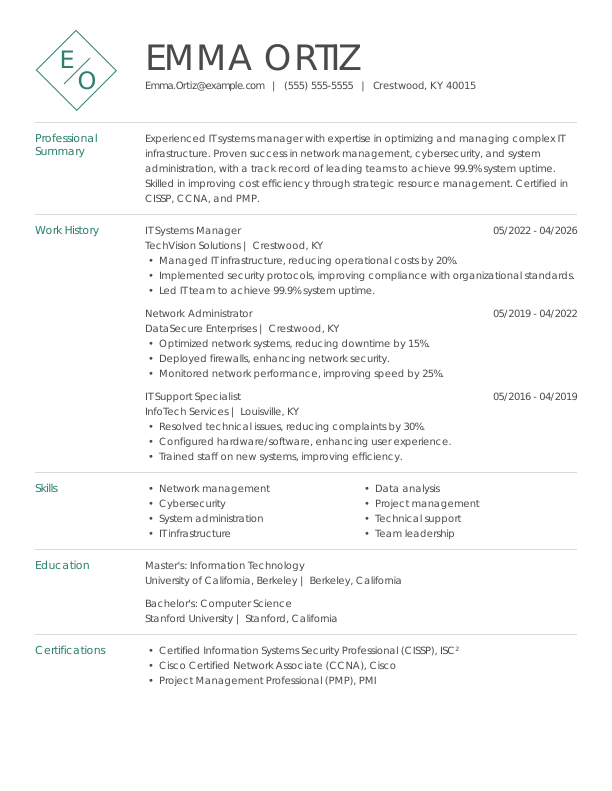
    Creative IT Systems Manager Experienced & Professional Resume TemplateEmpathic Emerald color
    ZoomUse This Template

    Creative IT Systems Manager Experienced & Professional Resume:Empathic Emerald color
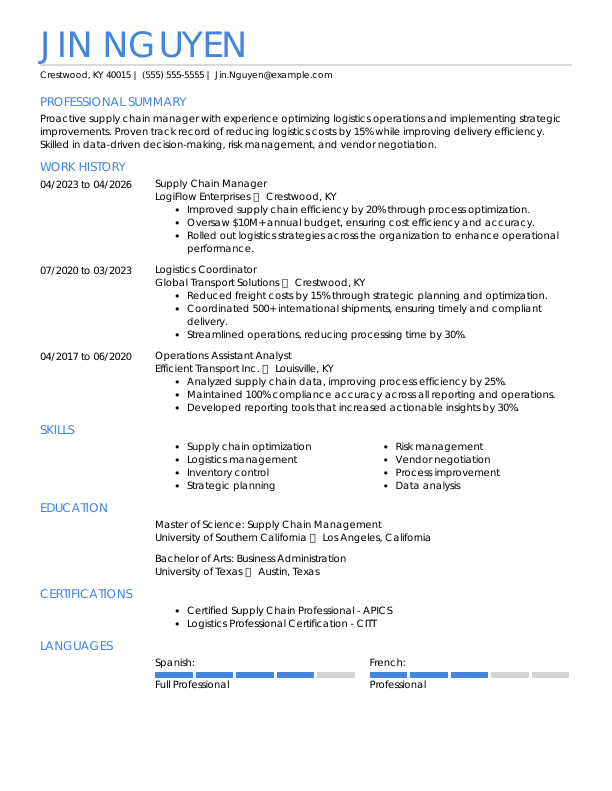
    Modern Supply Chain Manager Experienced & Professional Resume TemplateBalanced Blue color
    ZoomUse This Template

    Modern Supply Chain Manager Experienced & Professional Resume:Balanced Blue color

    Choose a format to download

    Google Drive Open Google Doc PDF Download PDF Word Download Word Doc Cancel
    More Resume Templates:
    ATS-Friendly Resume TemplatesCombination Resume TemplatesCreative Resume TemplatesFunctional Resume TemplatesGoogle Docs Resume TemplatesMicrosoft Word Resume TemplatesMinimalist Resume TemplatesModern Resume TemplatesSimple Resume Templates

    Make a Resume in 4 Simple Steps

    Step 1

    Pick your favorite template.

    Step 2

    Choose text to tell your story.

    Step 3

    Customize the design and formatting.

    Step 4

    Download in any file format you need.

    Create my resume

    Endorsed by the Community

    Why Job Seekers Trust Our Resume Templates

    rs star
    Free and Premium Designs

    Enjoy a diverse selection of downloadable resume templates for free alongside premium options vetted by recruiters.

    perfectly formatted
    Perfectly Formatted

    No longer worry about the pesky, time-consuming formatting issues that arise when creating a professional resume on your own.

    easily customizable
    Easily Customizable

    Create as many resumes as you want quickly by using our builder’s auto-generated text tailored to your job title and industry.

    rs benefit
    Finished in Minutes

    Make the process quicker with a resume builder that guides you step-by-step to creating your best resume yet.

    Our Templates Are Endorsed by Experts

    Joseph W
    Designer
    joseph-w
    “Variety of templates. The matching resume and cover letter templates look great together.”
    Melissa
    HR Manager
    melissa
    “I liked the variety of templates, and it was user-friendly.”
    Donna O
    Product Owner
    donna-o
    “Excellent assortment of modern design options.”

    What Is a Chronological Resume?

    A chronological resume is one of the three types of resume formats that determine the order and organization of the information you include on your resume.

    A chronological resume organizes your work history in reverse order, starting with your most recent position and working backward. Because it emphasizes employment history and growth, it’s commonly used by applicants with experience in the field they’re applying to.

    Each role lists your responsibilities and achievements, making the chronological resume the ideal choice for those with significant, relevant work experience.

    Who Should Use the Chronological Resume Format?

    Use the chronological resume format if you:

    • Have at least five years of relevant experience
    • Have a consistent work history without major employment gaps
    • Are applying within a career field you’ve worked in consistently
    • Want to show promotions or increased responsibility

    Consider another format if you:

    • Are changing careers
    • Have significant employment gaps or an unconventional career progression
    • Have little or no work experience in your field
    • Want to emphasize skills over job history

    How to Write a Chronological Resume

    To write an impressive chronological resume, start with your most recent position and work backward, focusing on measurable accomplishments in each role. Use bullet points for clarity, and include only positions relevant to your target job over the last 10 to 15 years.

    Step 1

    Choose the Right Template

    Using a structured template can save time and ensure that your resume is readable for applicant tracking systems (ATS). Employers use ATS to scan your resume and filter for relevant keywords and experience. If the ATS system can’t read your resume, it may not make it to a human reviewer.

    Browse the templates on this page or check out our complete resume templates library to find professionally designed, ATS-friendly chronological layouts that match your career level and industry.

    Step 2

    Open With a Header & Resume Profile

    Make sure that your full name, professional email, and city and state are visible at the top of your resume. Immediately under your header, write a resume summary that highlights your strongest qualifications.

    Keep it concise—two to three sentences are usually enough to give hiring managers a quick snapshot of your expertise.

    Step 3

    Tell Your Career Story in Your Work Experience Section

    List your roles from your most recent position to your oldest. Emphasize promotions, achievements, and quantifiable results, and focus on roles that align closely with your desired position. Leave off unrelated or outdated positions that do not strengthen your application.

    For help making sure your chronological resume is optimized for ATS, try our ATS Resume Checker to evaluate whether it highlights your most impressive and relevant qualifications.

    Step 4

    Write a Powerful Skills Section

    List relevant skills to show employers that you have what it takes to make an impact. Since the chronological resume is more experience-focused, most of your skills should be demonstrated in your experience section.

    Your skills section should be short, listing 6 to 10 hard and soft skills that align with the job listing.

    Step 5

    Showcase Your Credentials in Your Education Section

    Your education section should also be in reverse-chronological order. Start with your highest level of education and work your way backward.

    If you have a college degree, you can omit your high school diploma. If you’re a recent graduate, include educational achievements and relevant coursework to enhance your education section.

    Step 6

    Include Optional Sections

    Your resume isn’t limited to the traditional parts of a resume. Add optional sections like honors and awards, hobbies, volunteer experience, or certifications to make a unique resume that stands out to employers.

    Frequently Asked Questions

    Last Updated: June 01, 2026

    You should use a chronological resume when you have significant experience in your field or a clear career progression to showcase on your resume.

    The chronological resume works best for applicants whose recent jobs directly relate to the role they are applying for and who want employers to focus on their professional history.

    You should avoid a chronological resume if you have large gaps in your employment, frequent job changes, or limited work experience.

    A chronological resume may draw attention to inconsistent employment timelines, so applicants changing careers or entering the workforce often benefit from a skills-based functional format instead.

    Employers often prefer chronological resumes because they clearly show recent roles, responsibilities, and career advancement. A chronological resume is easy to read at a glance and tends to be ATS-friendly.

    Hiring managers can quickly determine whether a candidate’s experience matches the job requirements. This is why employers typically expect to see chronological resumes for experienced candidates.

    A chronological resume should typically cover 10 to 15 years of relevant experience at most. Roles that are older than 15 years can be included if they’re highly relevant, but older roles may introduce age bias and usually contribute less to your resume than your more recent experience.

    Jobs on a chronological resume should be listed in reverse-chronological order, meaning your most recent position appears first.

    The chronological resume prioritizes current experience because employers are most interested in your latest skills, responsibilities, and accomplishments.

    In the chronological format, work experience will appear first. This allows you to show hiring managers that you have the necessary experience to excel at a new job.

    Like your work history section, the education section should start with your most recent degree or credential. List all your relevant degrees and certificate programs. If you recently graduated or completed a credential, you can include relevant coursework and notable achievements.

    The best resume format depends on your career and specific needs. For experienced candidates, the chronological resume is best, but there are two more standard resume formats that are ideal in different circumstances:

    • The combination resume is a hybrid format that displays both experience and skills. It’s the best format for mid-career candidates and career changers.
    • The functional resume focuses on skills, sometimes featuring multiple skills sections. The functional format is the best format for inexperienced candidates.

    The difference between a chronological and a functional resume is that one highlights work history, while the other highlights skills.

    The chronological resume focuses on career progression and a detailed record of your employment, whereas the functional resume groups your abilities by category, emphasizing your skills rather than your work history.

    Because of these differences, chronological resumes are preferable for experienced candidates, whereas functional resumes are best for early-career professionals.


    Was this information helpful? Let us know!

    ☆☆☆☆☆
    ★★★★★

    Hailey Brophy

    Hailey Brophy

    Career Writer
    linkedin-image

    Hailey is a career advice writer dedicated to helping job seekers excel in their careers.

    Read more articles by Hailey Brophy

    Create your resume
    Resume
    • AI Resume Builder
    • Resume Templates
    • Resume Examples
    • ATS Resume Checker
    • How To Make A Resume
    • AI Resume Summary Generator
    • AI Resume Skills Generator
    • AI Resume Review
    Cover Letter
    • AI Cover Letter Generator
    • Cover Letter Templates
    • Cover Letter Examples
    • Cover Letter Formats
    • How To Make A Cover Letter
    CV
    • CV Maker
    • CV Templates
    • CV Examples
    • How To Write A CV
    Resume Now
    • About Us
    • Customer Reviews
    • Editorial Guidelines
    • Privacy Policy
    • Terms Of Service
    • Cookies & Tracking Policy
    • Sitemap
    Support
    • Contact
    • Pricing
    • FAQ
    • Accessibility
    • Affiliates
    • Press Coverage
    Customer Service
    • Phone Number:
      • 844-351-7484
    • Email:
      • customerservice@resume-now.com
    • CS Support Schedule:
      • Mon – Fri 8:00 AM – 8:00 PM CST
      • Sat 8:00 AM – 5:00 PM CST
      • Sun 10:00 AM – 6:00 PM CST
    resume now
    Resume Now's AI Resume Builder is the fast and easy way to create your resume.
    Create my resume
    Results derived from a study responded by 1000 participants of which 287 created a resume online.
    • Based on a survey of 300 respondents who cancelled the service because they had found a job. Calculation was made based on average annual pay (pre-tax) and how much faster, in average, respondents were able to get hired with Resume-Now's help.
    • NOW Limited is not affiliated to these companies. Customers who signed up with us have been previously employed at these companies.
    ©2026, NOW Limited. All rights reserved.
    cprw logo sitejaber 2025 sitejaber 2026
    ×

    Download this free resume template

    Fill in your information and get started on your job-winning resume.

    Download this template

    *By sharing your email, you consent to receiving marketing and transactional emails from the Resume Now team. Opt out at any time through your account settings or through the unsubscribe link provided in every Resume Now email.

    Downloading...

    Download Ready

    Your resume template is ready!

    Create a job-winning resume with your new resume template

    Create my premium resume
    Interested in a premium resume template?

    Interested in a premium resume template?

    Our AI resume Builder offers:

    • Unique and ATS-friendly premium templates
    • AI-generated content based on your input
    • Step-by-step guidance with expert tips and examples to quickly craft a job-winning resume
    Create my premium resume
    No thanks, download anyway.