


 Make Resume Now a preferred source on Google
Fast Facts
- Blank resume templates provide a ready-made structure for your contact information, summary, work experience, skills, education, and other relevant sections.
- The three main resume formats are chronological, functional, and combination, and each emphasizes your experience and skills differently.
- For most job seekers, a clean chronological resume is a strong starting point because it makes recent work experience easy to find.
- ATS-friendly resume templates use clear section headings and readable formatting that applicant tracking systems (ATS) can process more easily.
- A blank template can be reused for multiple applications, but you should tailor your skills, experience, and keywords for each job.
Blank resume templates handle the basic structure, so you can focus on presenting your qualifications clearly. Choose a design that fits your experience and industry, then customize the sections for the job you want.
Below, you'll find blank resume templates in several styles, along with guidance on choosing a format, filling in each section, and tailoring your resume for applications.
Ready to start your resume today? Check out our AI Resume Builder, where you can choose from industry-appropriate resume templates. Select your favorite design, fill it in with ready-made content suggestions for your career, and send it in no time from any device.
10 Best Blank Resume Templates
Whether you're an experienced professional or creating a resume for your first job, the right blank resume template gives you a clear structure for presenting your qualifications. These customizable options range from simple, traditional layouts to modern, creative designs.
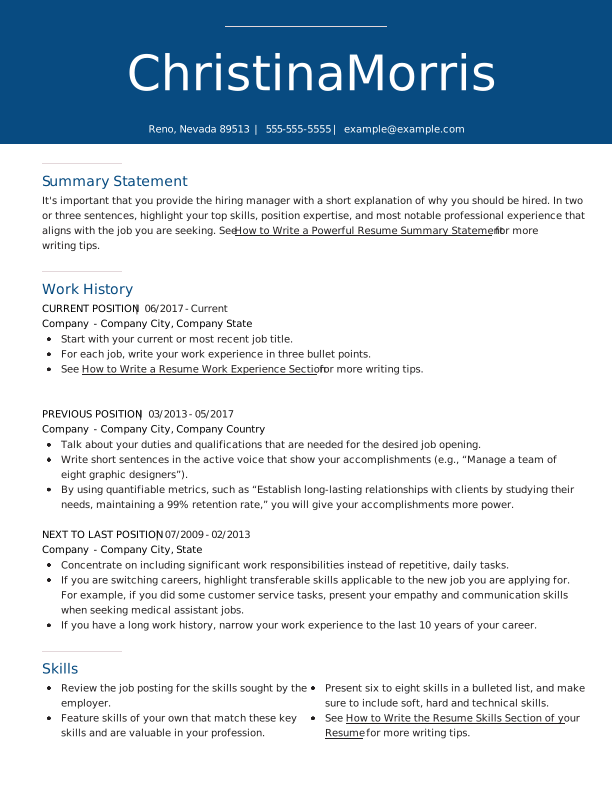
Iris
Iris is a versatile blank resume template with a simple, one-column structure and full-width header. Its clean layout keeps the focus on your qualifications and can work well across many jobs and industries.
Spotlight
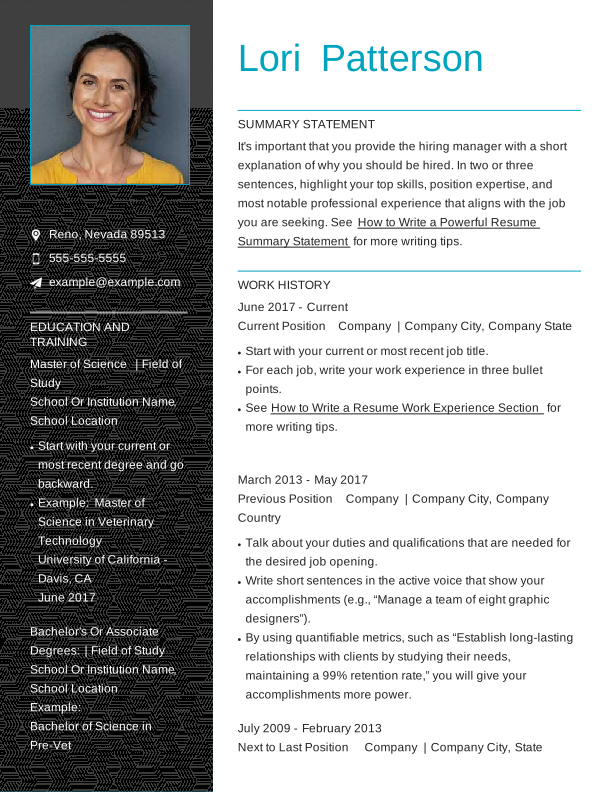
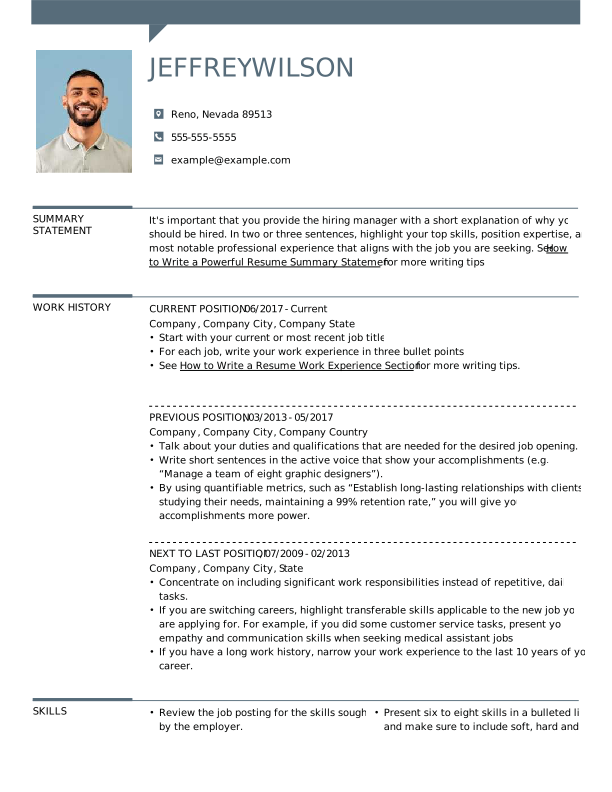
Spotlight is a bold blank resume template designed for job seekers who want to include a professional photo. Because photos aren't standard on U.S. resumes, this design is better suited to select fields or situations where including one is appropriate.
Contemporary
Contemporary uses an asymmetrical layout, with the header positioned on the left and the main resume content on the right. The extra visual separation gives each section room to breathe while maintaining a polished look.
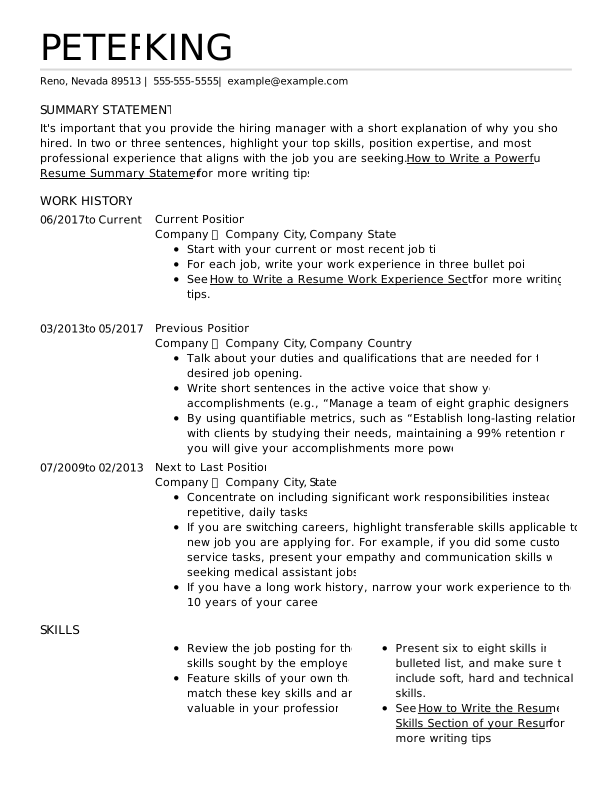
Logo
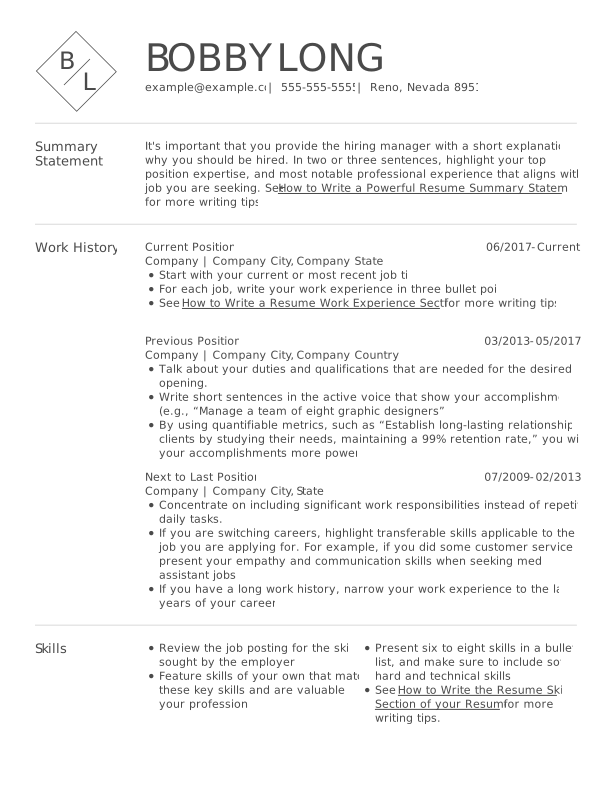
Logo adds a personalized touch by displaying your initials in a graphic at the top of the resume. It's a good option for job seekers who want a distinctive design without taking attention away from their qualifications.
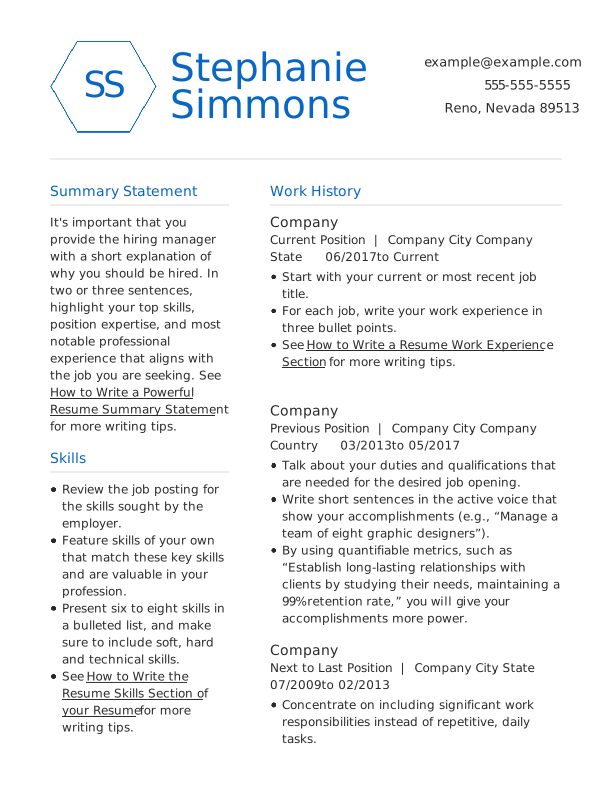
Crisp
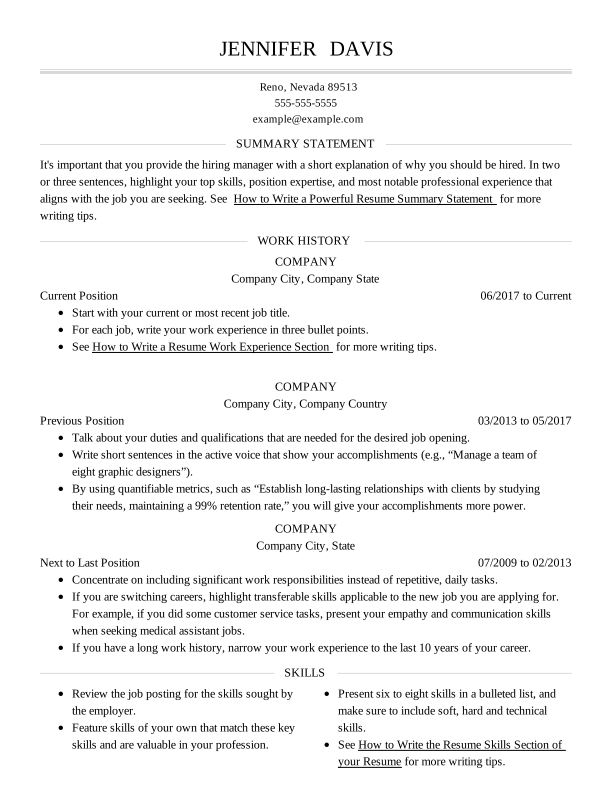
Crisp uses clean lines to separate information into easy-to-scan sections. The structured resume layout works well for job seekers who want a polished design that keeps their experience and skills easy to find.
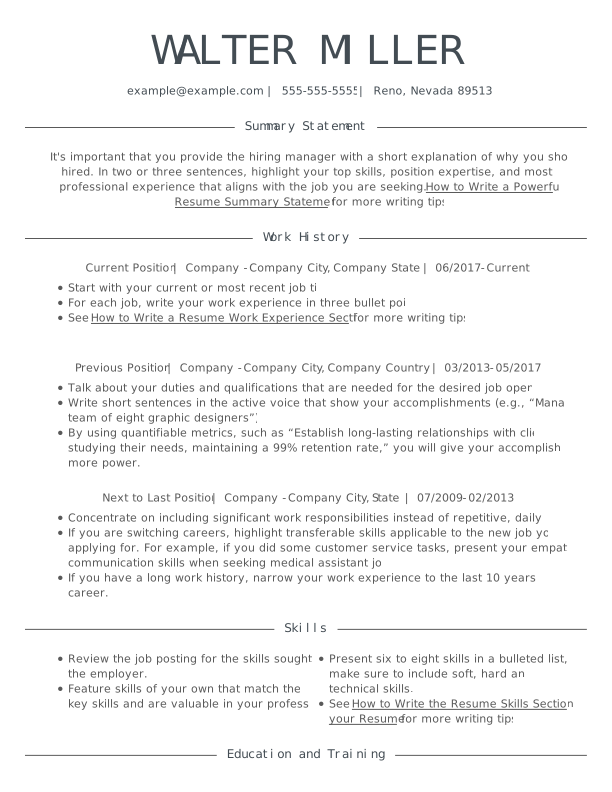
Modern
Modern balances contemporary design with straightforward organization. Like other modern resume templates, its minimalist layout adds visual interest without distracting from your skills, credentials, and experience.
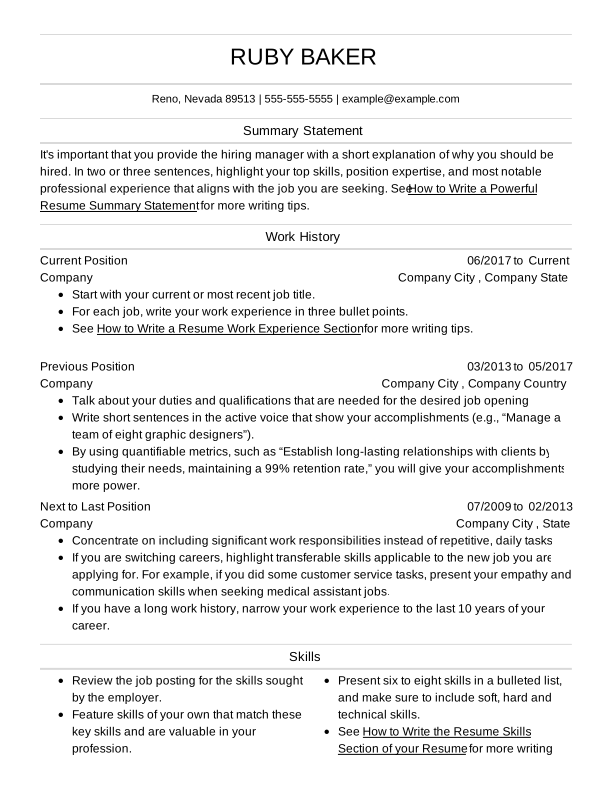
Professional
Professional uses a polished, traditional design that puts your qualifications front and center. Its understated appearance is especially well suited to conventional fields such as law, medicine, and finance.
Simple
Simple keeps the focus on your qualifications with a straightforward, easy-to-scan layout. Its no-frills design can work especially well in fields such as construction, logistics, and transportation.
Creative
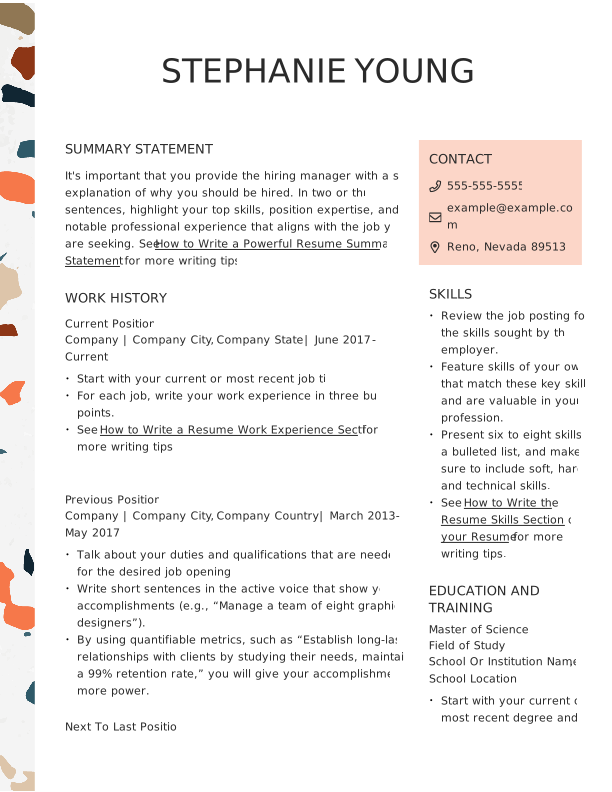
Creative offers more personality than a traditional blank resume template while keeping your information organized. It can be a strong choice for fields such as photography, entertainment, and graphic design, where visual presentation may play a larger role.
Blank Resume Template to Copy & Paste
Need a blank resume you can start filling in right away? Copy and paste this simple resume form into Word, Google Docs, or your preferred text editor, then replace the prompts with your own information.


[Your Name]
[Your Address] | [Phone Number] | [Email] | [LinkedIn/Portfolio]
Professional Summary
[Write 2–3 sentences summarizing your experience, skills, and goals.]
Work Experience
[Job Title] – [Company], [Dates]
- [Achievement/Responsibility]
- [Achievement/Responsibility]
- [Achievement/Responsibility]
Skills
- [Skill 1]
- [Skill 2]
- [Skill 3]
Education
[Degree], [School], [Graduation Date]
Optional Sections
- Honors & Awards
- Volunteer Experience
- Languages
- Certifications
- Professional Associations
- Interests
- Projects
Blank Resume Formats
Resume formats determine how your resume sections are organized and which qualifications receive the most emphasis. The three main formats are chronological, functional, and combination, and the right choice depends on your work history, skills, and career goals.
- Chronological: Prioritizes your work history and is a strong choice for most job seekers
- Functional: Prioritizes skills over a traditional work history
- Combination: Gives substantial attention to both skills and work experience
Choose the format that best highlights your strengths, then select a downloadable blank resume template to start filling in.
Chronological Blank Resume Format
A chronological resume puts your work experience front and center, listing your most recent job first. This familiar format makes it easy for employers to see your career progression, accomplishments, and relevant experience.
Who Should Use This Blank Resume Format?
Use the chronological resume format if:
- You have at least five years of relevant work experience.
- You have a consistent employment history.
- You want to highlight your steady career progression.
Functional Blank Resume Format
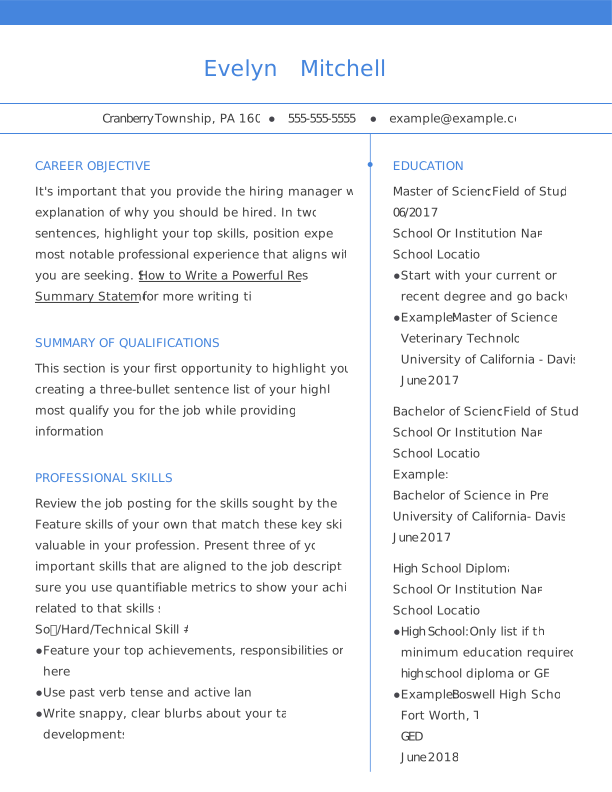
The functional resume, also called a skills-based resume, puts your abilities ahead of your work history. It can emphasize both hard and soft skills and may include multiple skills sections to showcase relevant qualifications.
Work experience still has a place on a functional resume, but other qualifications can take on greater importance. For example, job seekers with limited professional experience may highlight extracurricular activities, projects, or volunteer work.
Who Should Use This Blank Resume Format?
Consider a functional resume format if:
- You have significant gaps in your employment history.
- You have limited or no traditional work experience.
- You want to emphasize your skills as you transition to a new career.
Combination Blank Resume Format
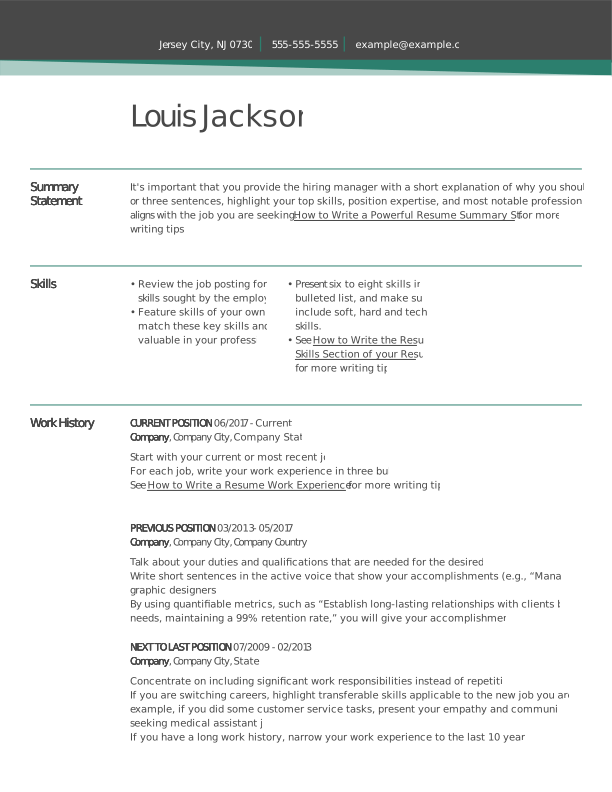
A combination resume format highlights both professional skills and work experience, giving each more emphasis than it typically receives in the other formats. This flexible approach can work especially well for mid-level professionals and career changers with relevant transferable skills.
Who Should Use This Blank Resume Format?
Consider the combination resume format if:
- You're in the mid-level of your career.
- You're pursuing a career change.
- You have relevant skills and experience you want to highlight equally.
How to Fill in a Blank Resume Template
Follow these six steps to fill out your blank resume template and build your perfect resume:
- Add Your Contact Information
Feature your contact information prominently at the top of your resume. Include your name, phone number, email address, and location in your resume header. You can also add your LinkedIn profile and professional website or portfolio if they're relevant to your work. - Write Your Career Summary
Write a concise career summary (also known as a resume profile) that highlights your most relevant experience, skills, and goals. Use strong action words and specific qualifications that match the job you're targeting. - Fill In Your Work History
List your work experience beginning with your most recent job. Use concise bullet points to highlight achievements rather than simply listing responsibilities, and include specific results when possible. - Add Your Most Relevant Skills
Create a skills section featuring abilities that are relevant to the job you're targeting. Include an appropriate mix of hard skills, such as technical or job-specific abilities, and soft skills that demonstrate how you work with others. - List Your Education
Add your highest degree or most recent credential first, followed by earlier education. Recent graduates can also include relevant coursework when it helps demonstrate qualifications they haven't yet gained through work experience. - Include Optional Sections When Relevant
Add optional sections when they provide useful information about your qualifications or accomplishments. For example, an honors and awards section can highlight recognition you've received, while certifications, languages, volunteer experience, projects, and professional associations can showcase additional strengths.
7 Reasons to Use a Blank Resume Template for Your Job Search
A blank resume template saves time, provides a consistent structure, and makes it easier to create a polished resume for each job application. Instead of building your document from scratch, you can focus on tailoring your experience, skills, and achievements to the role while maintaining clear, ATS-friendly formatting.
- You'll save time. A template handles the basic layout for you, so you can spend more time on writing a resume that effectively showcases your qualifications.
- You'll have a clear structure. Blank resume templates organize essential sections like your summary, work experience, skills, and education, so you don't have to determine the layout yourself.
- You can tailor it to different jobs. Make a copy of your template for each application, then adjust your skills, experience, and keywords to match the role. Tailoring your resume can also help you emphasize information that's relevant to employers and ATS software.
- You can create a polished look. A well-designed template gives your resume a consistent, professional appearance while making important information easy for recruiters to scan.
- You can customize the design. A blank template gives you a starting point without locking you into a finished document. Depending on the template, you can customize sections and other design elements to better fit your experience.
- You're less likely to overlook an important section. Templates already include the basic resume sections, making it less likely you'll make a mistake or leave out critical information.
- You'll keep your formatting consistent. Templates help maintain consistent fonts, headings, spacing, and section organization throughout your resume, improving readability and creating a cohesive final document.
Frequently Asked Questions
Is it okay to have a plain resume?
Yes, a plain resume can be an excellent choice, especially when it uses a clean layout, clear section headings, and easy-to-read fonts. Simple designs can also be more compatible with applicant tracking systems (ATS), which employers may use to scan and organize applications. Prioritize readability and relevant content over decorative design elements.
Are resume templates okay to use?
Yes, resume templates are widely used and can make it easier to create a polished, well-organized resume. A template provides the basic layout and sections, while you customize the content. Choose an ATS-friendly template, then tailor your skills, work experience, achievements, and keywords to each position rather than sending the exact same resume for every application.
How do I download a blank resume template?
To download a blank resume template, choose a design that fits your experience and industry, select the download option, and save the file to your device. Depending on the template provider, you may be able to download your resume in formats such as Word or PDF. Open the saved document to customize it, and always follow the employer's requested file format when submitting your application.
Can I use the same blank resume template for multiple applications?
Yes, you can use the same blank resume template for multiple applications, but you should customize the content for each job. Review the job posting and adjust your summary, skills, work experience, achievements, and relevant keywords accordingly. Keeping the same basic design saves time while still allowing you to create a targeted resume for each position.
How do I choose the right format for my blank resume?
Choose a resume format that best reflects your work history, skills, and career goals. A chronological format emphasizes recent work experience, a functional format emphasizes skills, and a combination format highlights both. For most job seekers, a chronological format is a strong starting point because it presents employment history in a familiar, easy-to-follow order.
What's the best free template for a resume?
The best free resume template is one that clearly presents your qualifications, fits your career needs, and uses an ATS-friendly layout. Look for readable fonts, recognizable section headings, and enough space for your relevant skills and experience. Resume Now offers customizable resume templates in a variety of styles, so you can choose a design that suits your industry and experience.
Which resume template do most employers prefer?
Employers generally prefer resumes that are clear, professional, and easy to scan rather than a particular template design. For many job seekers, a simple chronological template is a safe choice because it puts recent work experience in a familiar order. Clear headings and straightforward formatting can also make your information easier for ATS software to process.


Don is a Certified Professional Resume Writer (CPRW) with more than 10 years' experience creating digital content, including four years helping job seekers develop their careers.
More resources

How to Write a Resume for an Internal Position (Examples, Templates, & Guide)
A resume for an internal position should highlight your curren...

How to Make a Canadian Resume: Format, Examples, & Expert Tips
Learn how to create a Canadian resume with the right format s...
What Should a Resume Look Like in 2026? (Examples)
A professional resume should use a clean easy-to-scan layout ...

What Is an ATS Resume? Definition & How to Write Yours
An ATS resume is a resume formatted to help applicant tracking...
 Get the job 2x faster*
  Customize your cover letter